Glamorous Young Indian Woman in Emerald Silk Slip Dress on Penthouse Terrace
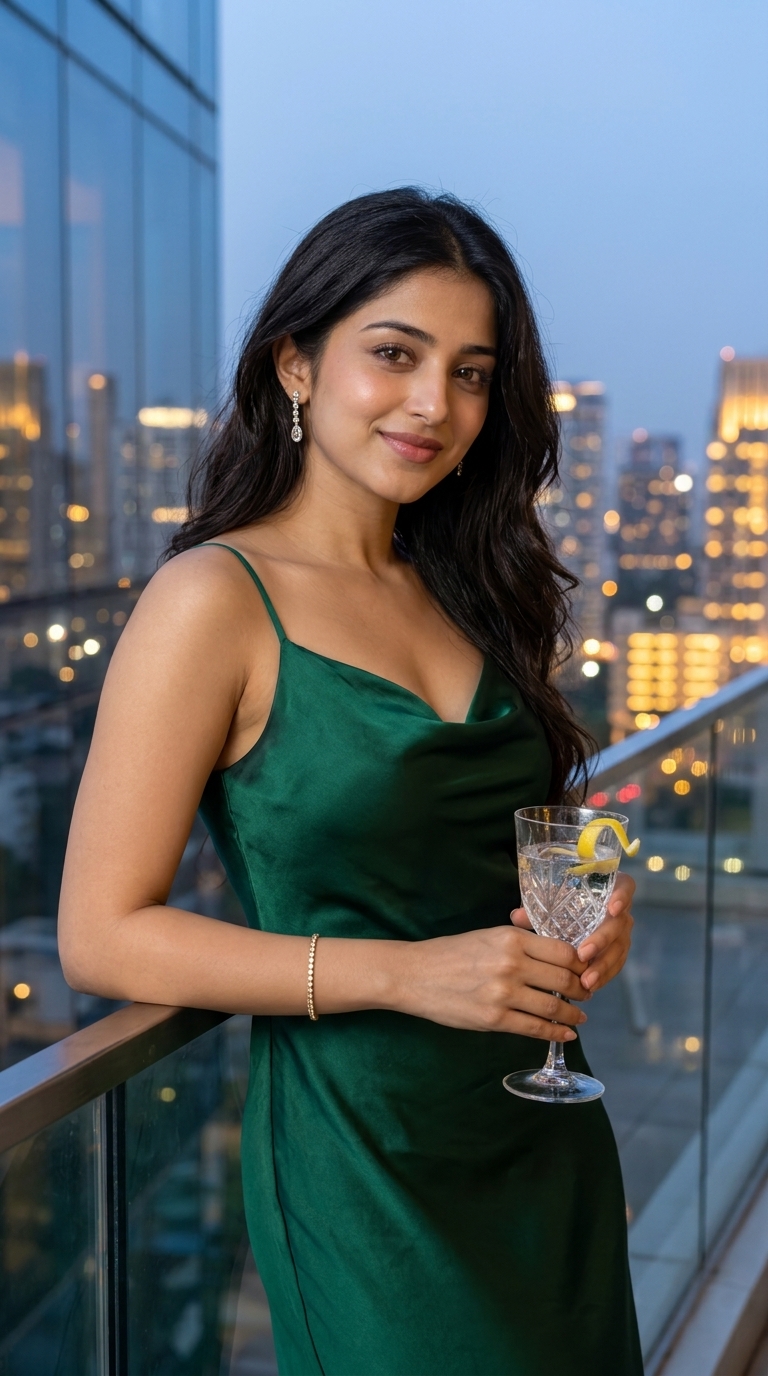
Use the uploaded reference photo as the strict identity reference for the woman. Preserve her exact facial features, expressive dark eyes, gentle smile, and cascading dark wavy hair. Do not replace or modify her facial identity. Create an ultra-photorealistic 9:16 vertical high-fashion evening portrait of the woman standing on a luxury glass-fronted penthouse terrace at twilight. OUTFIT & JEWELRY: She is dressed in an opulent emerald-green pure silk satin slip gown with a delicate cowl neckline and thin straps. She wears sparkling diamond drop earrings and a minimalist gold tennis bracelet on her wrist. POSE & PROPS: Leaning with one arm gracefully resting against the balcony railing, holding a faceted crystal tumbler with sparkling water and a lemon peel twist. Her dark wavy hair flows naturally over one shoulder in the gentle evening breeze. BACKGROUND & LIGHTING: Twilight blue hour sky meeting a sparkling metropolis skyline. Soft ambient architectural lighting illuminates her face, highlighting her radiant skin and the glossy luster of the silk dress. PHOTOGRAPHY: 85mm f/1.4 lens portrait, shallow depth of field, creamy city bokeh, photorealistic skin and fabric textures, cinematic color grading, 8k resolution.
A high-fashion evening portrait of our featured gorgeous young Indian woman in a luxurious emerald green cowl-neck satin slip gown, leaning gracefully on a penthouse balcony at twilight overlooking the city.
Open in Your Preferred AI Tool:
How to Use This Prompt to Get the Exact Image You Want
Step-by-step instructions for 100% accurate AI photo generation
Click the "Copy Prompt (One Click)" button above. It contains specific camera focal lengths, lighting physics, and texture directives that AI models require.
Open ChatGPT Plus (GPT-4o), Google Gemini, or Midjourney.
Upload your photo to ChatGPT or Gemini and write: "Generate this image, preserving the person's exact face from my photo: [PASTE PROMPT]".
In Midjourney, append --ar 9:16 --v 6.1. In ChatGPT, specify: "Render in vertical 9:16 ratio".
Related Images & Prompts
Discover related visual prompts matching this aesthetic, lighting, and category