1990s College Steps Nostalgic Portrait with Retro Walkman & Denim
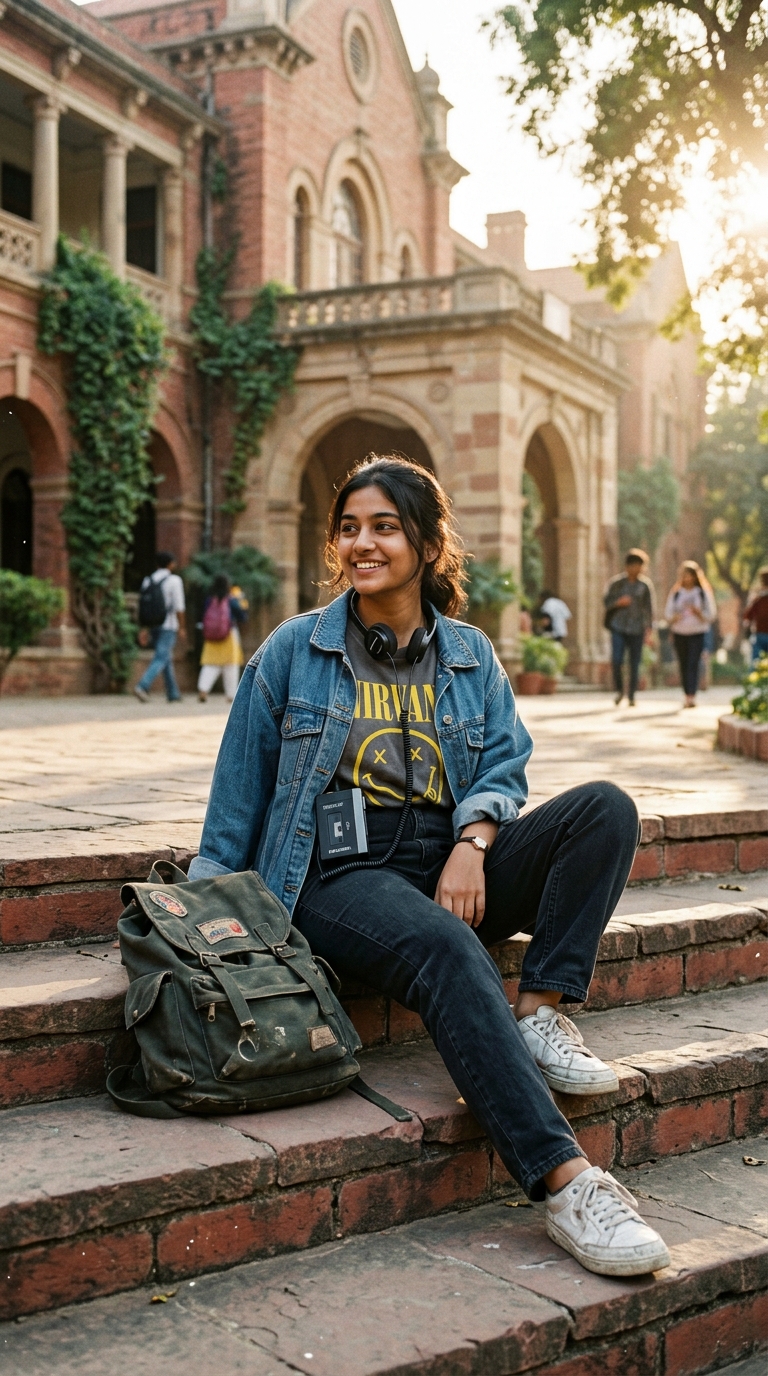
Using my attached photo as the strict facial identity reference, transform me into this authentic 1990s college portrait while preserving my exact facial structure, smile, and natural skin texture. I am dressed in iconic 90s campus style: an oversized vintage blue denim jacket over a heather-grey college hoodie, relaxed faded jeans, and a cassette Walkman clipped to my waist with retro orange-foam headphones resting around my neck. I sit on the warm sunlit sandstone steps of a vintage university campus building with autumn leaves scattered nearby. The late afternoon sunlight casts an authentic golden warmth with genuine 35mm film grain. Shot on 35mm film, Kodak Gold 200 aesthetics, natural analog grain, photorealistic detail, 8k resolution.
A nostalgic 1990s campus portrait of a young student sitting on stone college steps with foam headphones and a retro cassette Walkman, wearing classic vintage denim.
Open in Your Preferred AI Tool:
How to Use This Prompt to Get the Exact Image You Want
Step-by-step instructions for 100% accurate AI photo generation
Click the "Copy Prompt (One Click)" button above. It contains specific camera focal lengths, lighting physics, and texture directives that AI models require.
Open ChatGPT Plus (GPT-4o), Google Gemini, or Midjourney.
Upload your photo to ChatGPT or Gemini and write: "Generate this image, preserving the person's exact face from my photo: [PASTE PROMPT]".
In Midjourney, append --ar 9:16 --v 6.1. In ChatGPT, specify: "Render in vertical 9:16 ratio".
Related Images & Prompts
Discover related visual prompts matching this aesthetic, lighting, and category